It is very common to include labor or overhead components in the cost of a manufactured item. Assigning these values can provide a more representative cost of what it takes to make a part and/or better product margin information if the item is sold.
Using Connected, assigning labor or overhead costs, for Manufacture, is done by adding Service type item(s) to the Bill of Materials (aka components). A Service type item does not track inventory quantities and can be used as needed, without inventory receivings. There are two requirements before using a Service item for a labor or overhead allocation when Manufacturing:
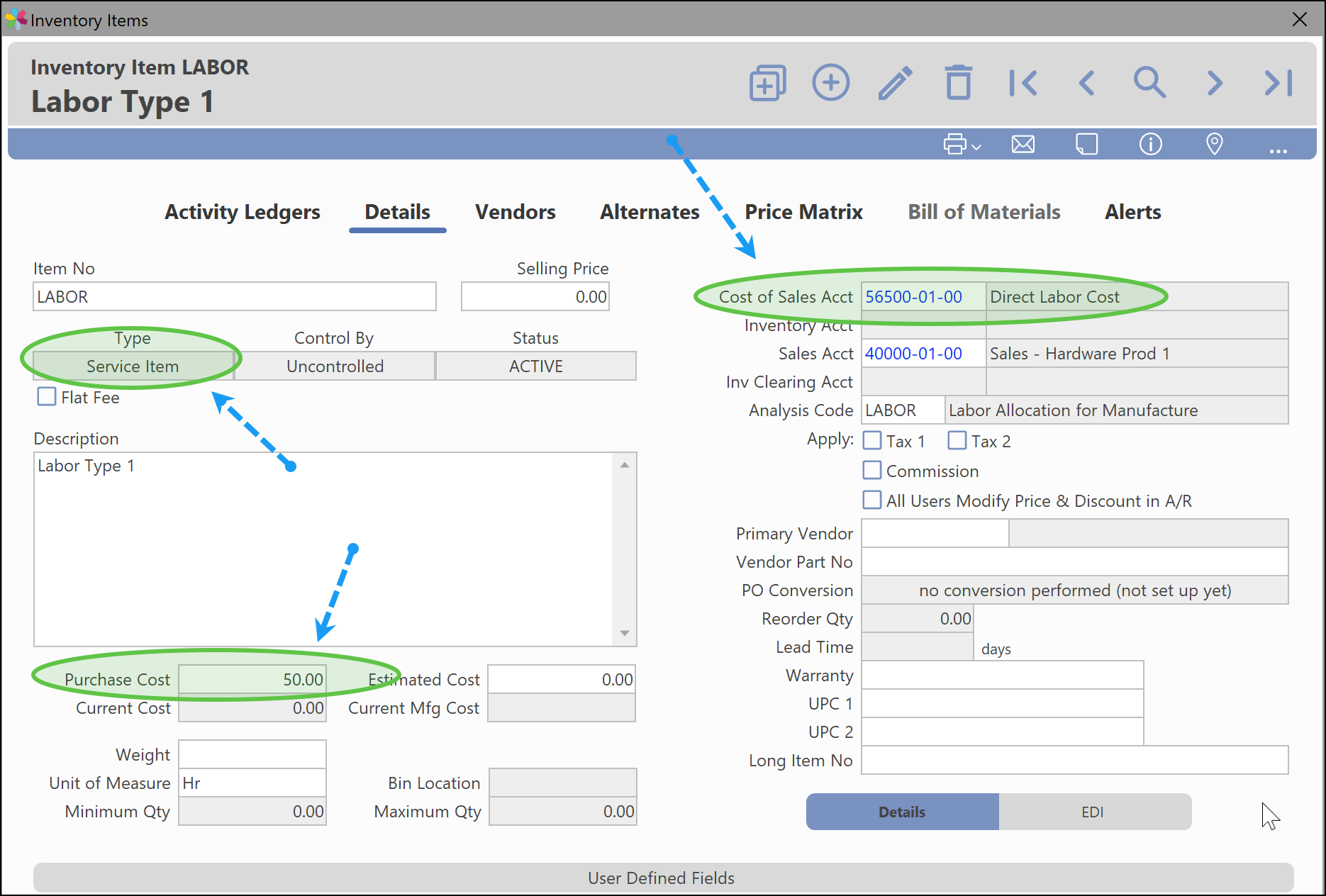
- Specify a Cost of Sales G/L account in the Inventory Items window for the Service item(s) used for Manufacture. This general ledger account will only be used for the General Ledger Distribution when Manufacturing.
- Specify a Purchase Cost for the Service item(s). This value will be used to specify the cost for one unit of labor or overhead.
Example: "LABOR" item configured for use on Bill of Materials in Manufacture. Purchase Cost = $50.00. This means one unit of Labor will have a cost of $50. Cost of Sales Acct is set to 56500-01-00 - Direct Labor Costs.
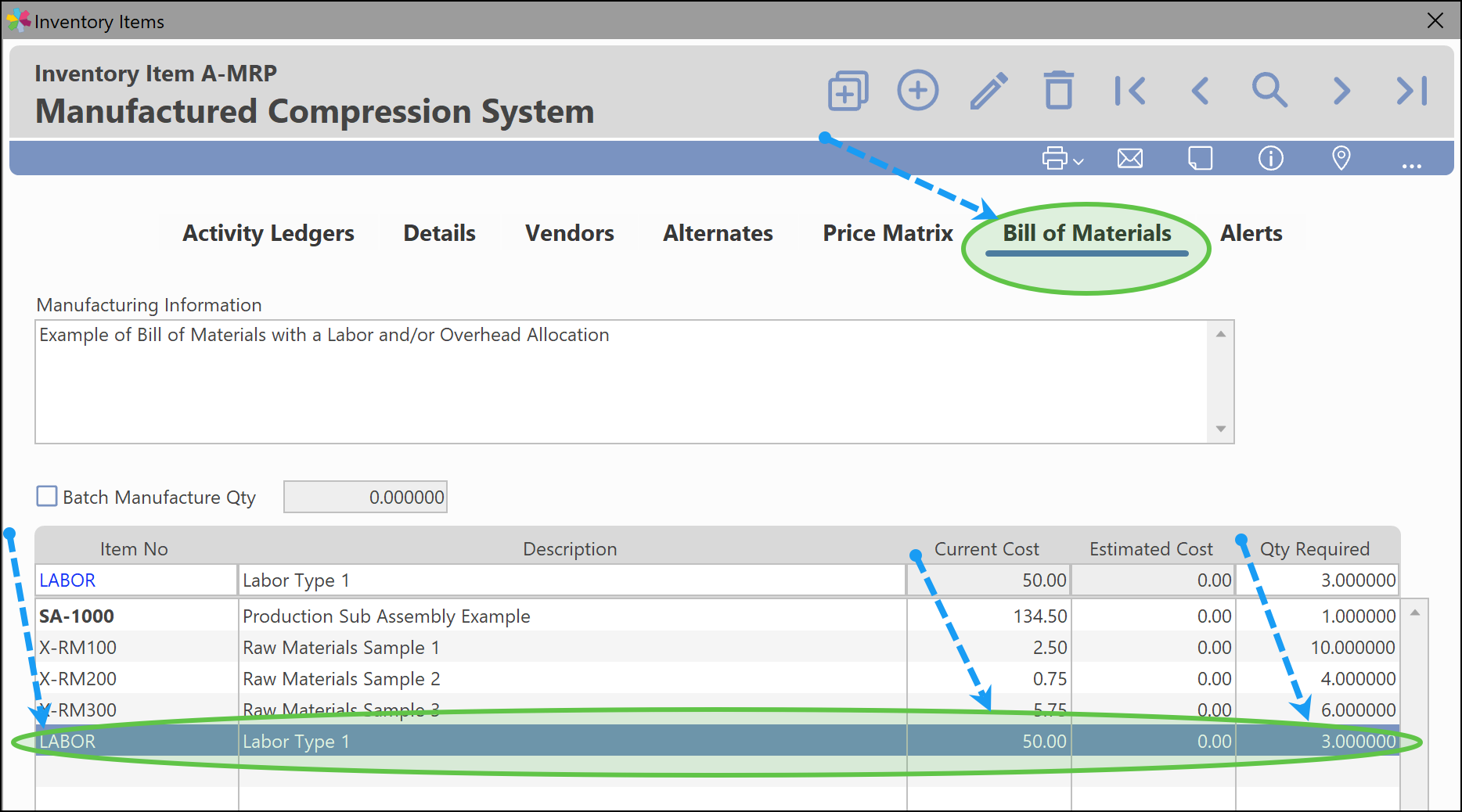
Example: Bill of Materials for Inventory Item "A-MRP", which includes service item "LABOR". Three units of "LABOR" at $50/unit, are required for each individual unit produced of item "A-MRP".
Simple Manufacture Example with Labor Allocation:
The following is simple example of how assigning labor can be used when Manufacturing.
Example: Item A-MRP has the following Bill of Materials specified:
1 piece of SA-1000 (this is master item that has other components)
10 pieces of item X-RM100
4 pieces of item X-RM200
6 pieces of item X-RM300
3 Units of item LABOR (takes 3hrs to build)
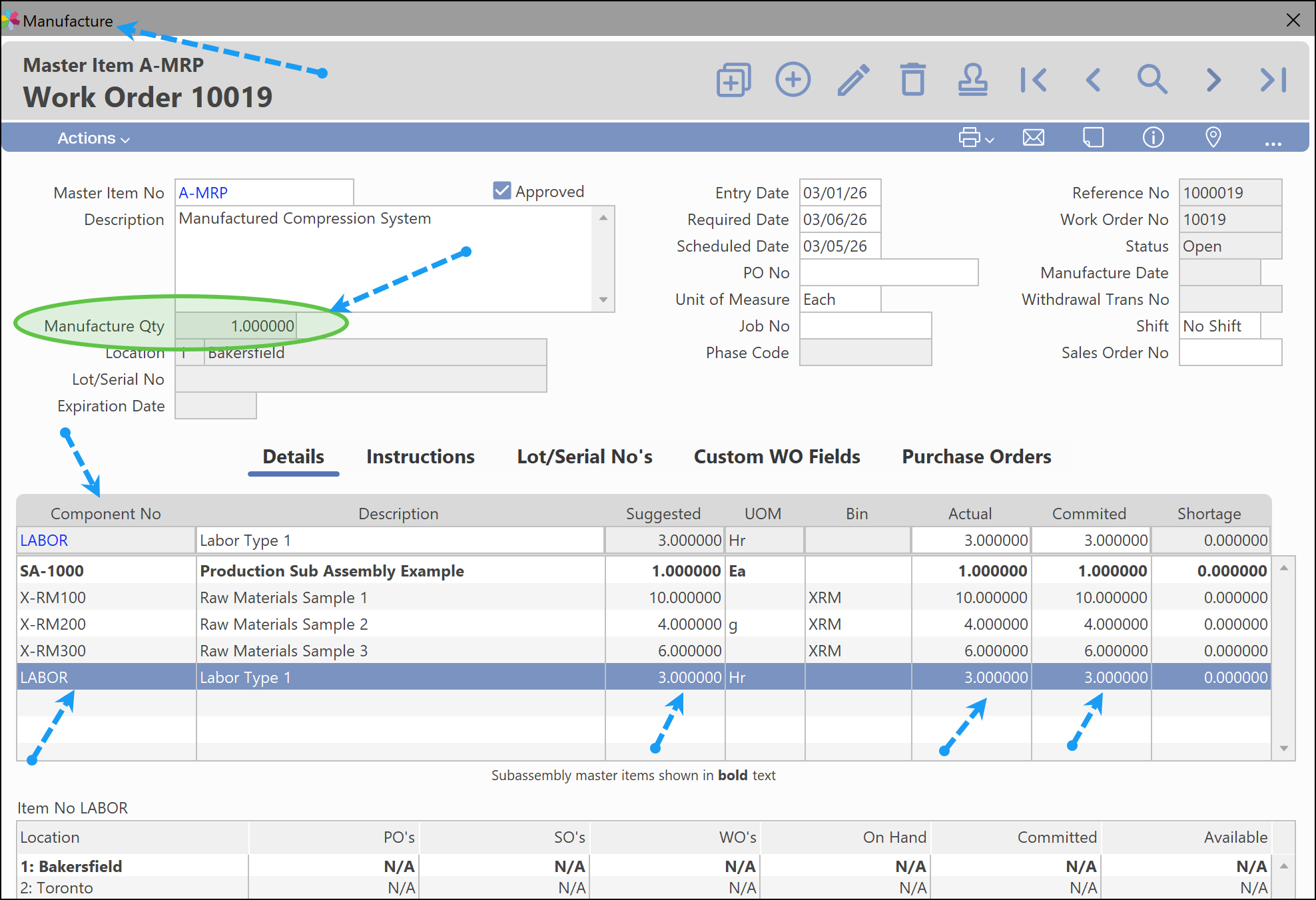
The following screen shows a Manufacture entry for a single unit of product A-MRP, using three units of item "LABOR".
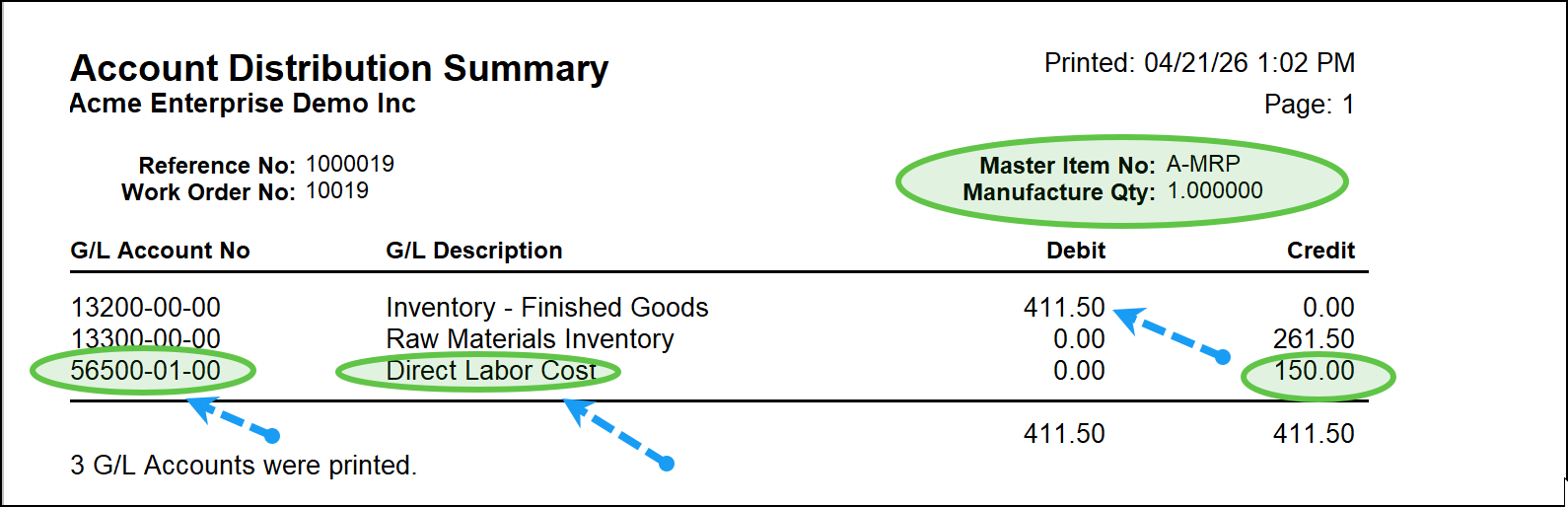
The following screen shows the accounting distribution for the Manufacture. $150.00 is added to the unit cost of $411.50, from the Service item "Labor".
Related Content Links:
Manufacture - Custom Workflow Staging List
Was this article helpful?
That’s Great!
Thank you for your feedback
Sorry! We couldn't be helpful
Thank you for your feedback
Feedback sent
We appreciate your effort and will try to fix the article