Knowledge Base · From Our Blog
Last updated: June 10, 2026

Connected 12 introduces a number of enhancements designed to streamline everyday tasks, improve usability, and provide greater flexibility when working with your data. While some changes focus on reducing clicks and simplifying common workflows, others support newer requirements such as AI-assisted analysis and expanded data integration.
Popular Time-Saving Updates
Many of the enhancements in Connected 12 come from customer feedback and focus on making routine tasks more efficient.
Highlights include:
- Reduced posting prompts — fewer clicks
- Built-in spell check for Description and Comments fields
- Copy/paste functionality within Ledger/Query selections
- Export Account Invoices directly to spreadsheet format
- Ability to place customer receipts on "Hold" to prevent accidental posting
- Item alerts directly within Sales Quotes
- ESC key warning when exiting without saving
- Enhanced landed cost freight allocation for improved cost accuracy
- Data Exchange Enhancements, including Purchase Order Export, FTP Destination saving, and automatic backup scheduling with email notification
Smarter Bank Reconciliation, Without the Manual Work
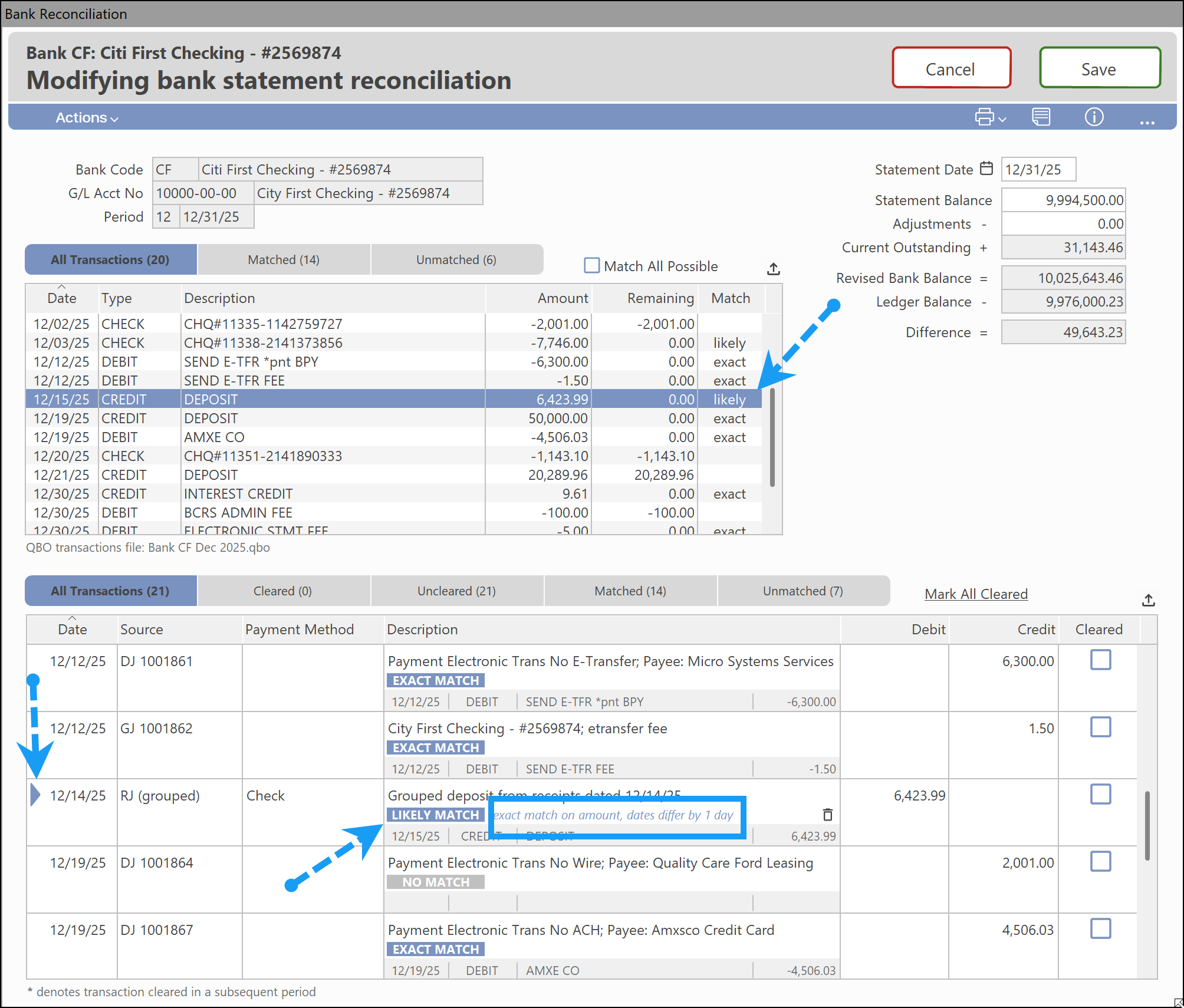
Connected 12 adds support for importing QBO files during bank reconciliation.
Transactions from your bank can be matched against existing Connected records, making it easier to identify reconciled items and investigate exceptions. Matched and unmatched transactions are clearly displayed, helping users quickly identify missing entries such as bank charges, interest, or other adjustments.
Supporting files can also be attached directly to the reconciliation, creating a complete audit trail that includes both the bank statement and imported QBO file.
Importantly, the process remains fully user-controlled. Imported transactions are not created automatically, ensuring all entries can be reviewed before being added to the system.
Learn how it works here: Bank Reconciliation with QBO File Import
Expanded 25 Character Item Number Support
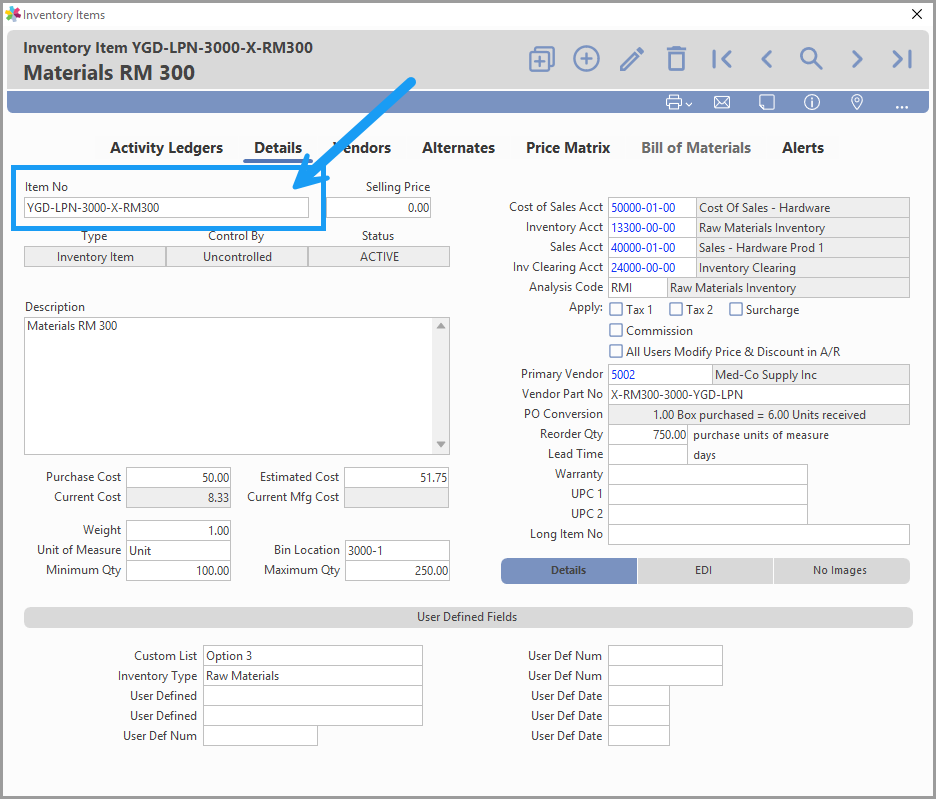
For businesses that rely on manufacturer part numbers, customer-specific item codes, or more descriptive numbering schemes, this provides additional flexibility without requiring workarounds or abbreviations.
Alongside the expanded field length, several inventory-related screens and reports have been updated to improve visibility and ease of use. The Inventory Item window has been refreshed, with commonly used fields such as Selling Price displayed more prominently, making maintenance and updates more efficient.
Improved Data Exports for Analysis and AI Tools
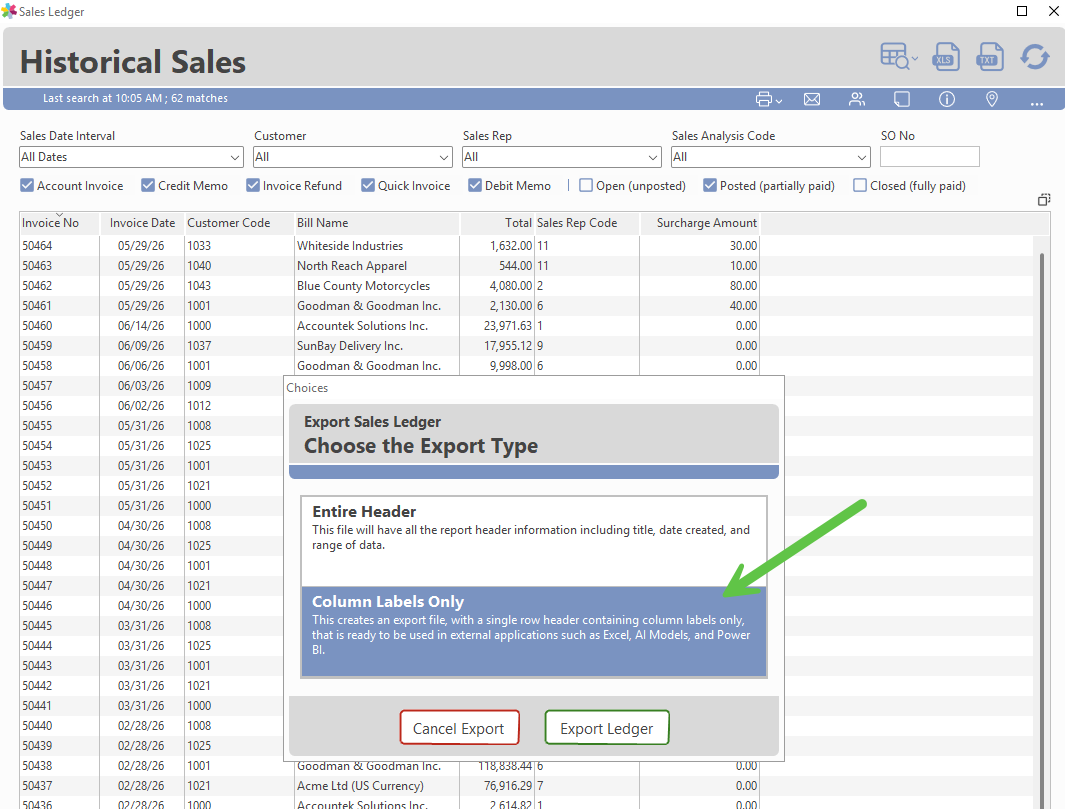
Connected 12 includes enhancements to Ledger and Query exports that make data easier to work with outside the application.
Exports are now cleaner, more structured, and better suited for spreadsheet analysis, reporting tools, and AI platforms. For example, Ledger exports now include a "Column Labels Only" option, making it easier to generate files that can be consumed by external systems without additional formatting.
As with all Connected data exports, users remain in complete control of what information leaves the system. Connected does not automatically send data to AI services or third-party platforms. Instead, the software provides the tools needed to prepare and export data when required, allowing each organization to follow its own security and governance policies.
TIP If you would like information about upgrading to Connected 12, visit the software update request page or contact the Accountek support team for details on pricing and availability. |
About Connected
The Connected Accounting and ERP platform, by Accountek Solutions Inc. has been helping SMBs manage their businesses for over 30 years. With our best-in-class Connected on Demand cloud (subscription) and trusted Desktop application for macOS and PC (perpetual license), Connected offers the choices businesses demand. The Connected platform is offered in both Connected Enterprise and a scaled down Connected Core Financials configuration.
To learn which Connected product and platform is best for your business, complete our software Needs Analysis or Download a Free Trial today.
Was this article helpful?
That’s Great!
Thank you for your feedback
Sorry! We couldn't be helpful
Thank you for your feedback
Feedback sent
We appreciate your effort and will try to fix the article