Recent Windows updates have made some changes to the dialogue box for Remote Desktop Connections, which are used to access the Connected on Demand service.
There are two different windows that may appear.
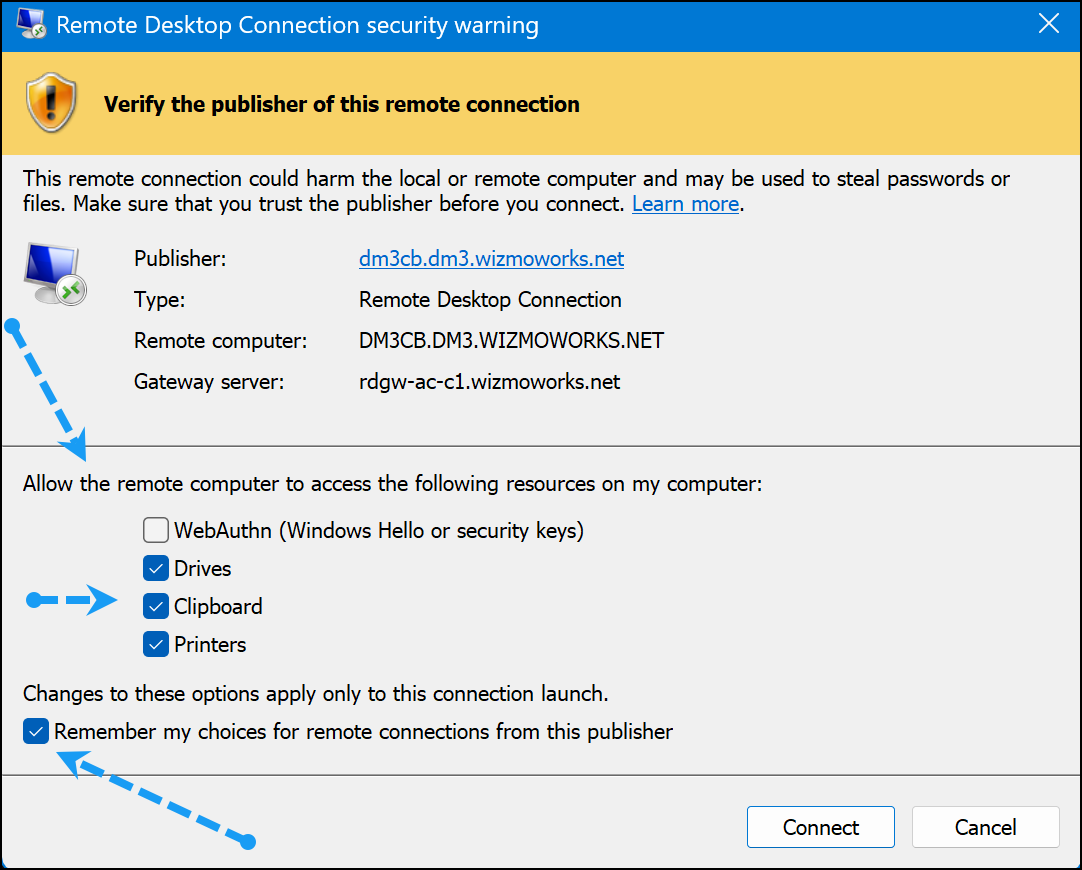
Remote Desktop Connection - Security "Warning"
When launching access to Connected on Demand, the following Remote Desktop Warning window may appear. As per the screenshot below, select the applicable resource choices AND the "Remember my choices for remote connections from this publisher" checkboxes.
Remote Desktop Connection - Security "Caution"
If the RDP connection file has been unchanged for some time, a "Caution" message will appear, instead of the Warning. Access to Connected on Demand is still available, but each time the resources (Drives/Clipboards/Printers) will have to be selected for each session.
The following screen shows the "Caution" message.
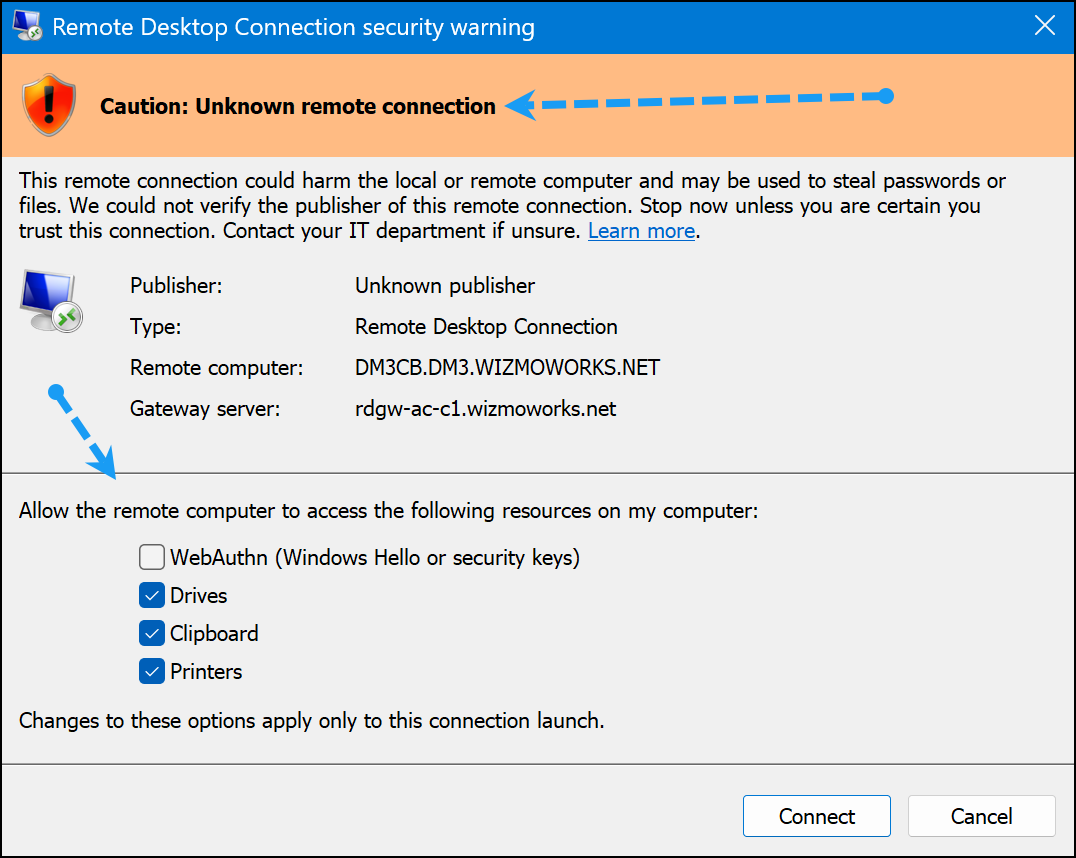
To revert to a security "Warning" from the "Caution", a new RDP file is required. Once the updated file is saved, the resource settings can be saved.
To download a new RDP File:
1) Visit https://hosted.accountek.com and log in using your Connected on Demand credentials.
Reference --> Self Serve Password Reset if your password is not known.
2) Once logged in, click the file, as shown in the following screen, to download a new RDP file.
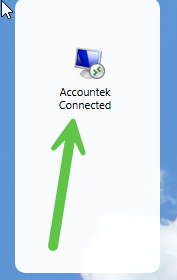
3) Delete any old RDP files so a single updated version is available.
4) Double click the new file and the screen shown in the "Warning" option will be presented and resource choices can be saved.
Was this article helpful?
That’s Great!
Thank you for your feedback
Sorry! We couldn't be helpful
Thank you for your feedback
Feedback sent
We appreciate your effort and will try to fix the article