PLEASE NOTE: These instructions only apply to Connected 12.x Desktop version only.
To change the serial number on an instance of Connected 12.x
1. Start the Connected 12x application.
2. Login to a Connected data file.
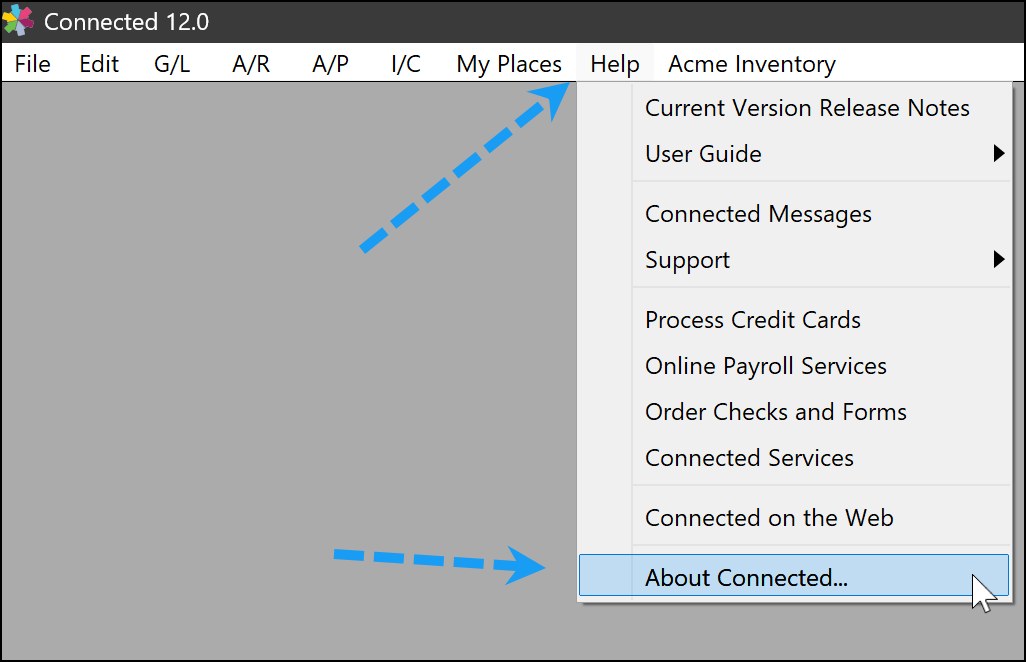
3. On a windows PC, select "About Connected" from the Help Menu.
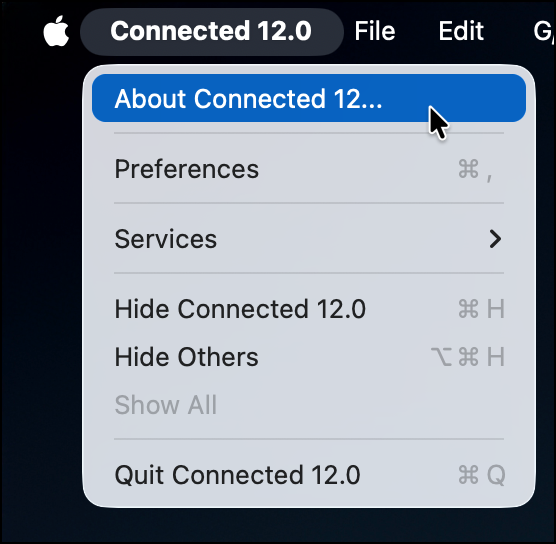
On a Mac, select "About Connected" from the Connected 10 menu.
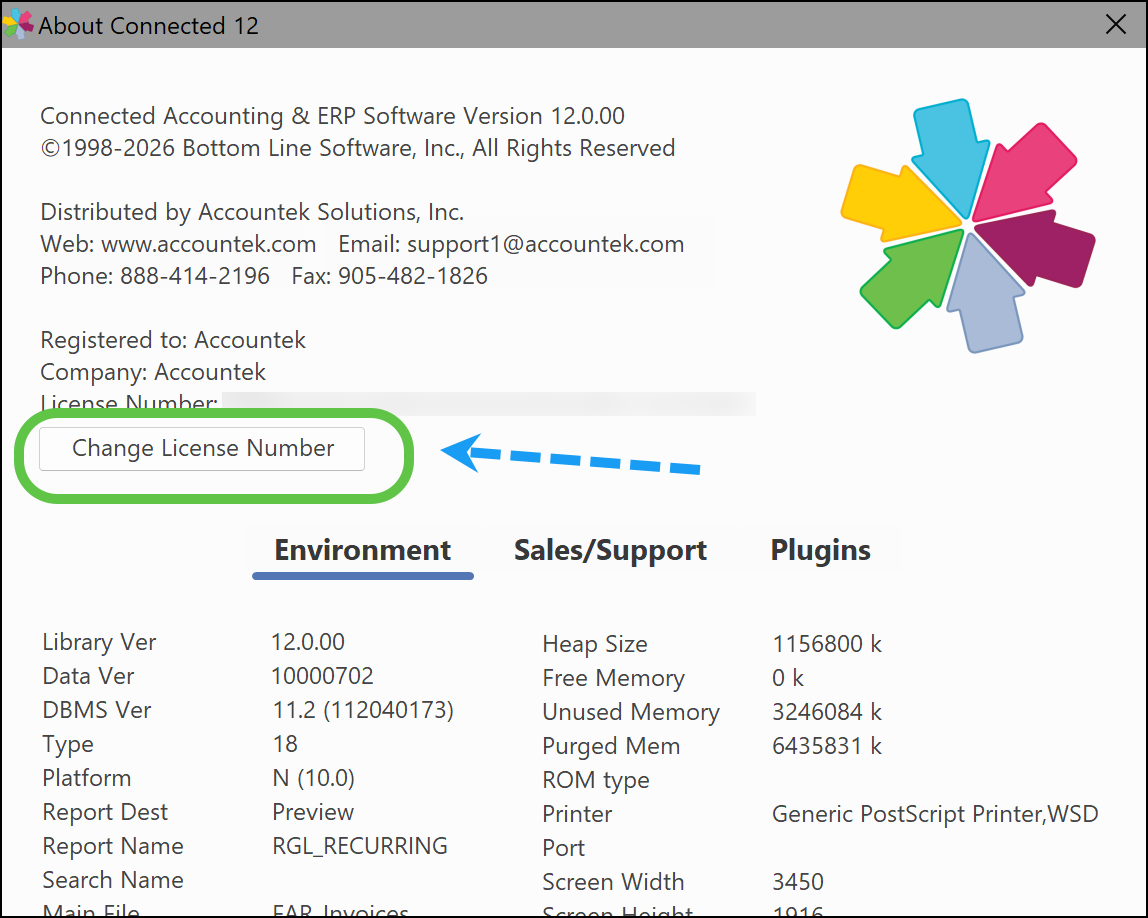
4. In the "About Connected 11" window, click the Change License Number button.
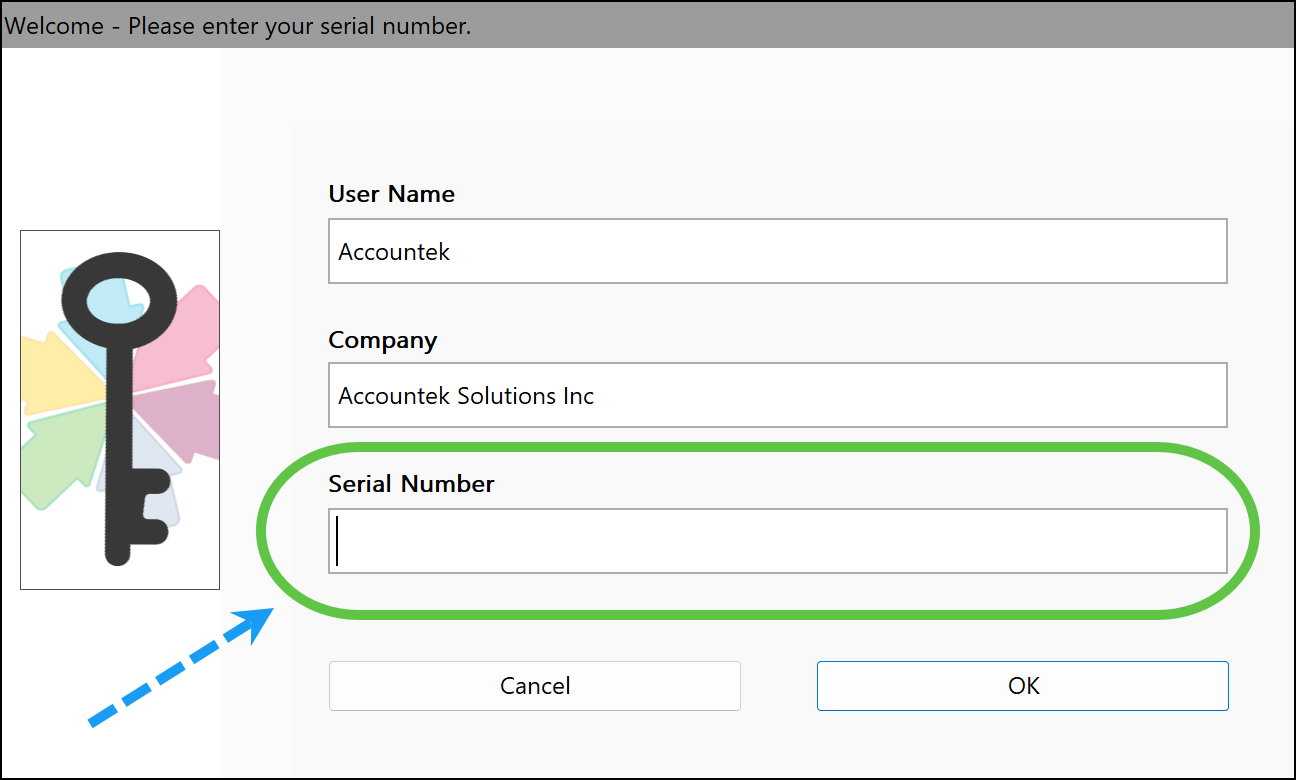
5. Enter the new serial number and click OK to save the Changes or Cancel.
6. Connected will need to restart in order for the changes to take effect.
Was this article helpful?
That’s Great!
Thank you for your feedback
Sorry! We couldn't be helpful
Thank you for your feedback
Feedback sent
We appreciate your effort and will try to fix the article